 Coming to the App Store
Log boulders and routes. On iPhone and Apple Watch.
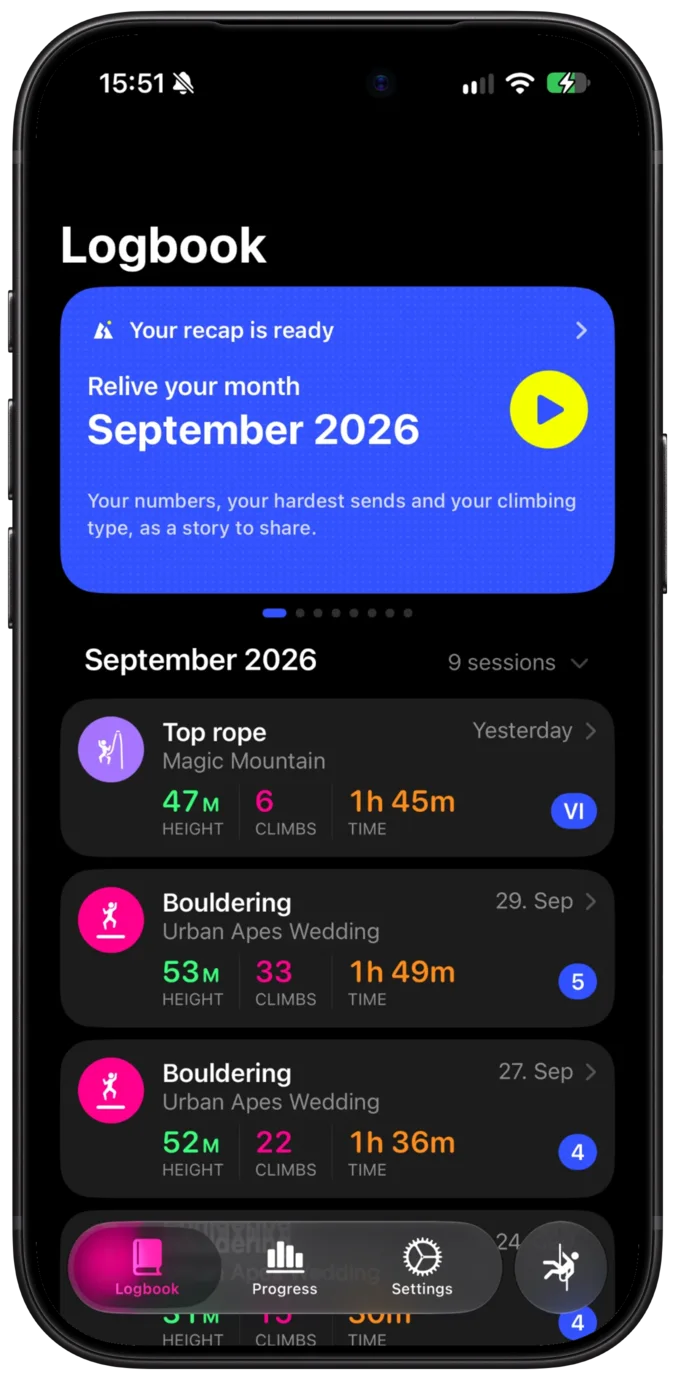
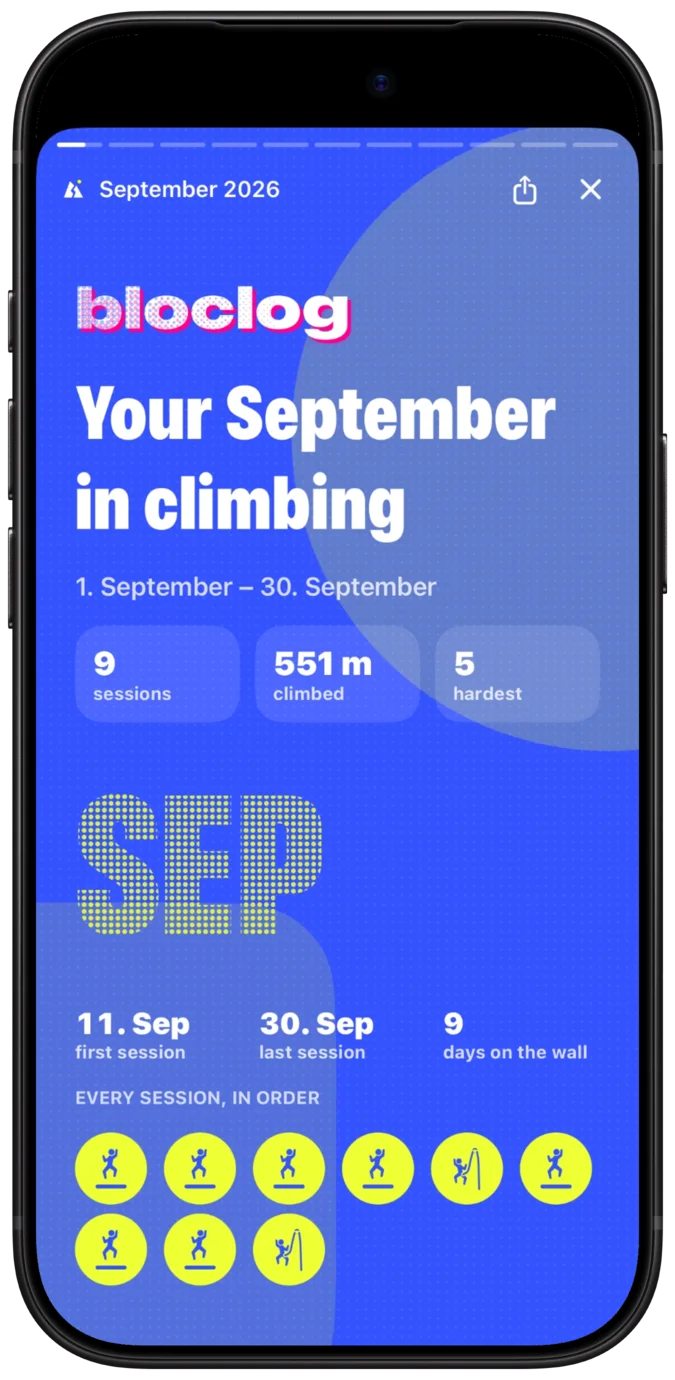
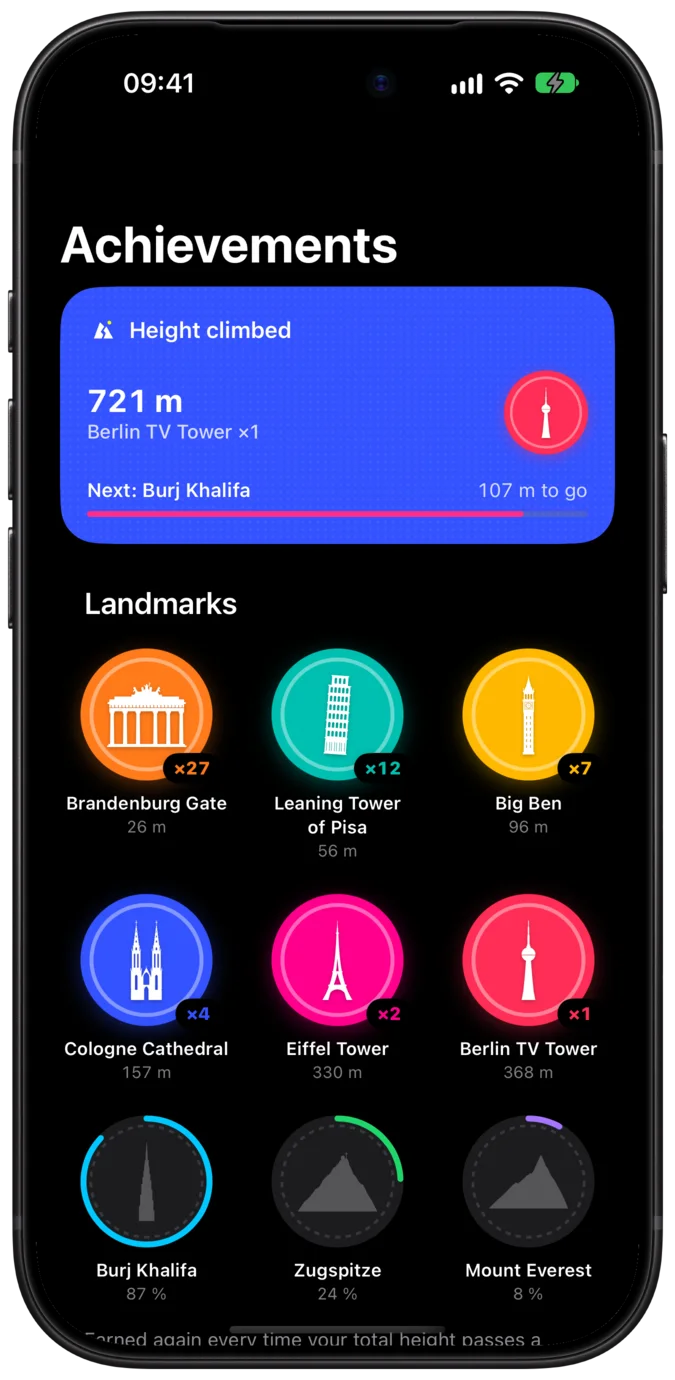
Bloclog records climbing sessions on iPhone or Apple Watch: the grade and result of each climb, session time, and height climbed from the barometer. Over time you see how your grades develop.
How it works
Start a session, climb as usual, and tap a grade between climbs. Bloclog handles the rest.
-
Start a workout
Pick bouldering, sport climbing or top rope and press start, on your iPhone or your Apple Watch.
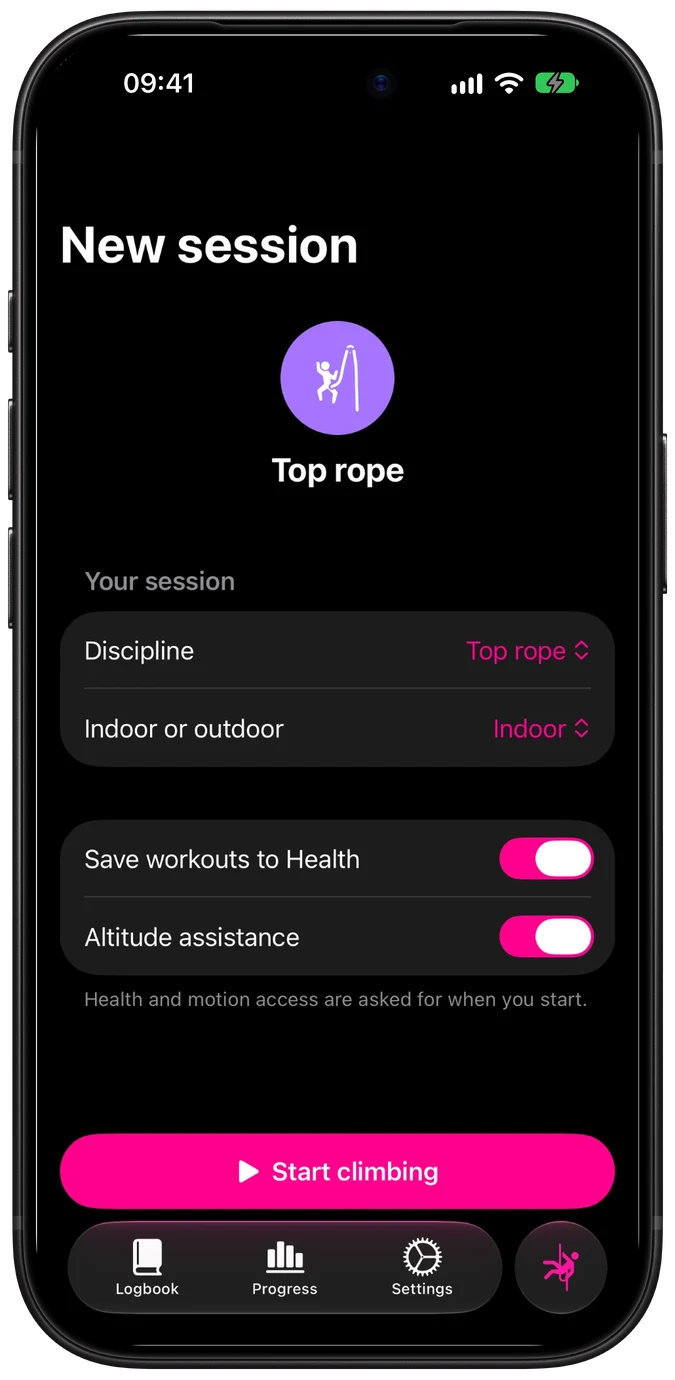
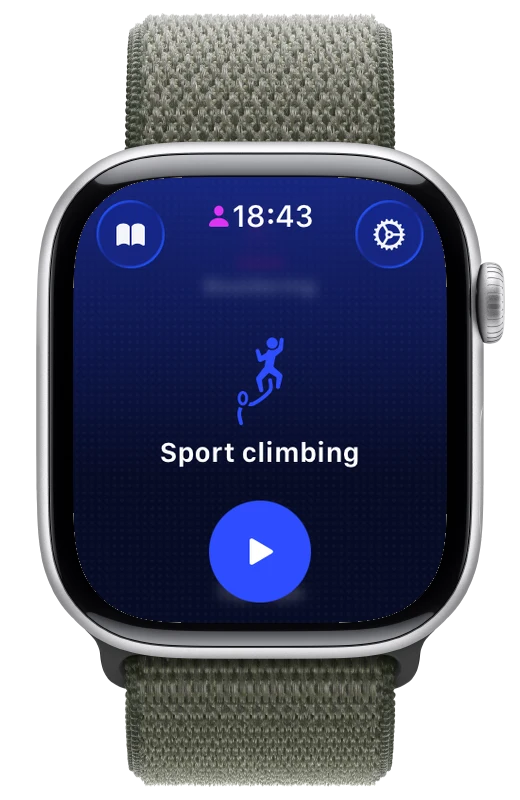
-
Climb, then tap the grade
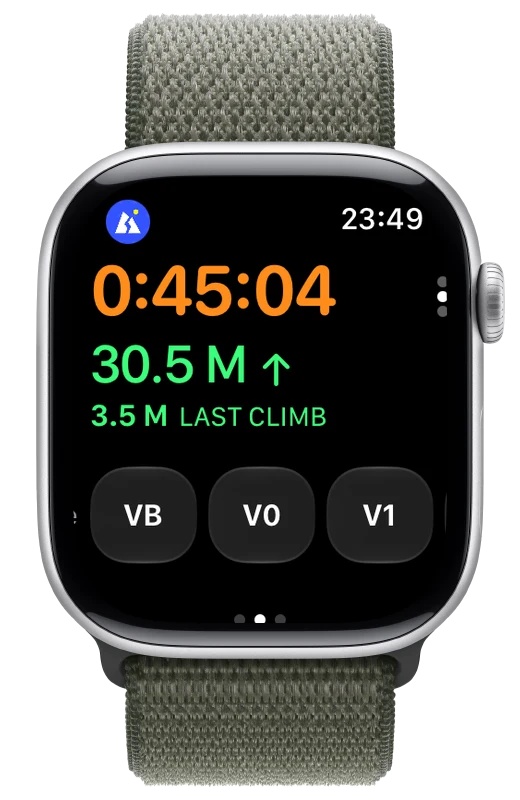
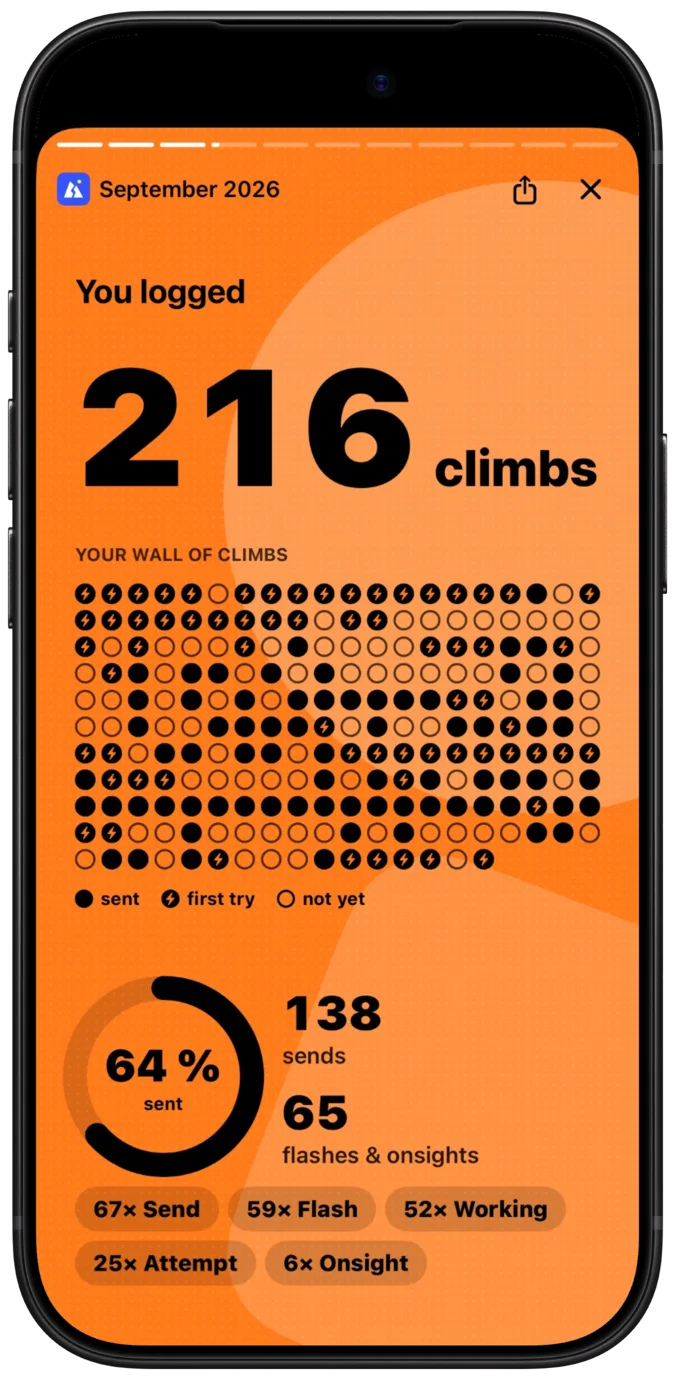
Bloclog notices when you climb and measures how high you went. Back on the ground, tap the grade of the boulder or route and how it went: flash, send or attempt. Works on iPhone or on Apple Watch alone.
Repeat for every climb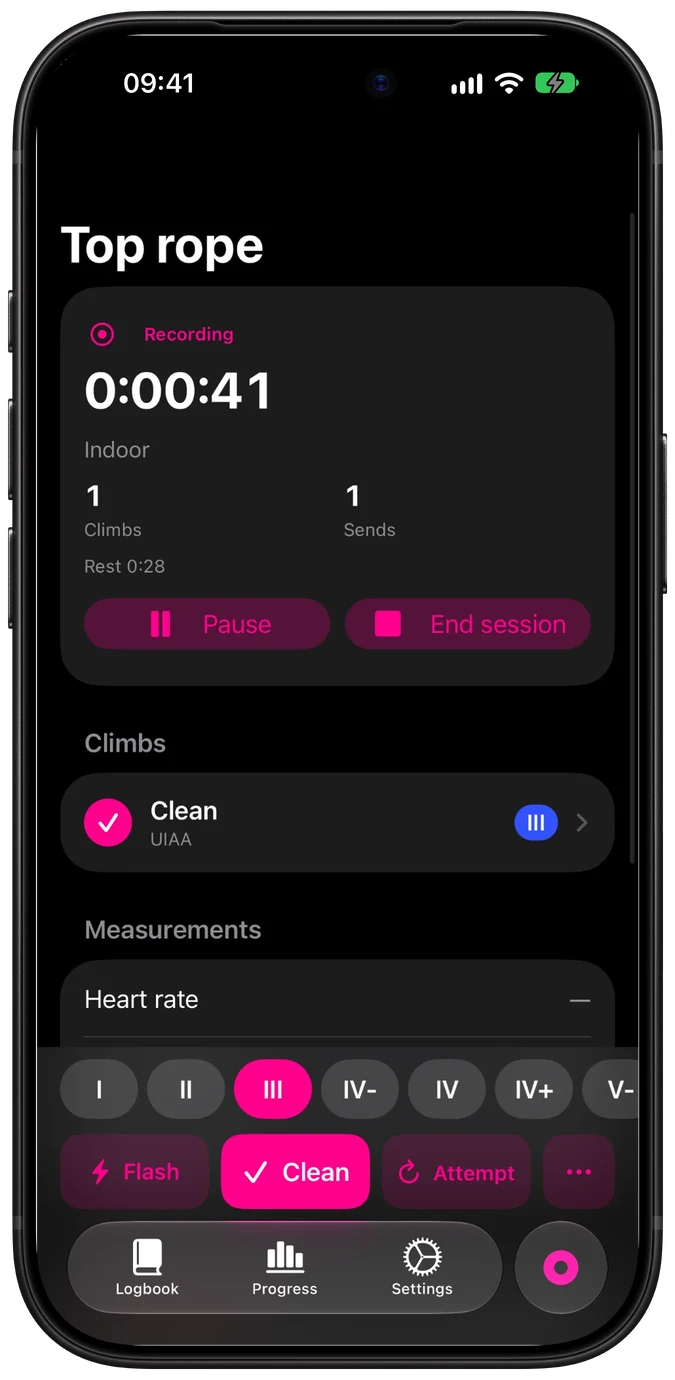
-
Review your session
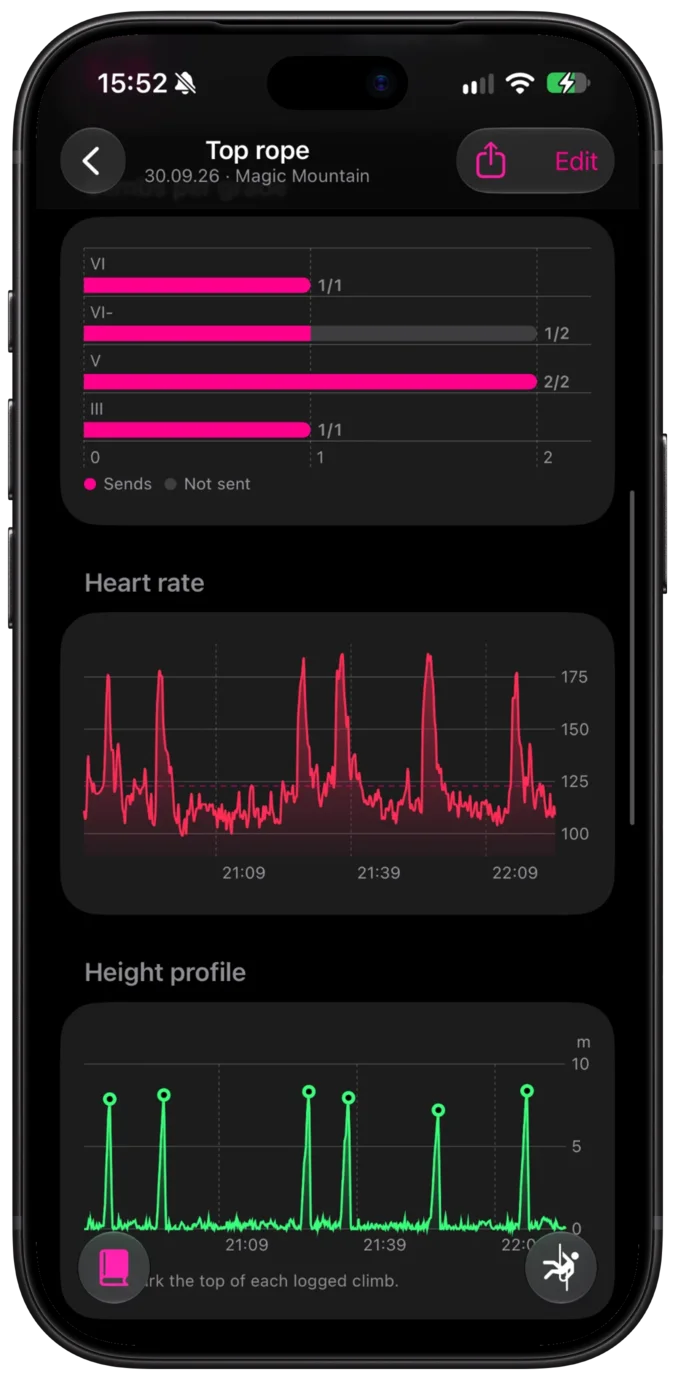
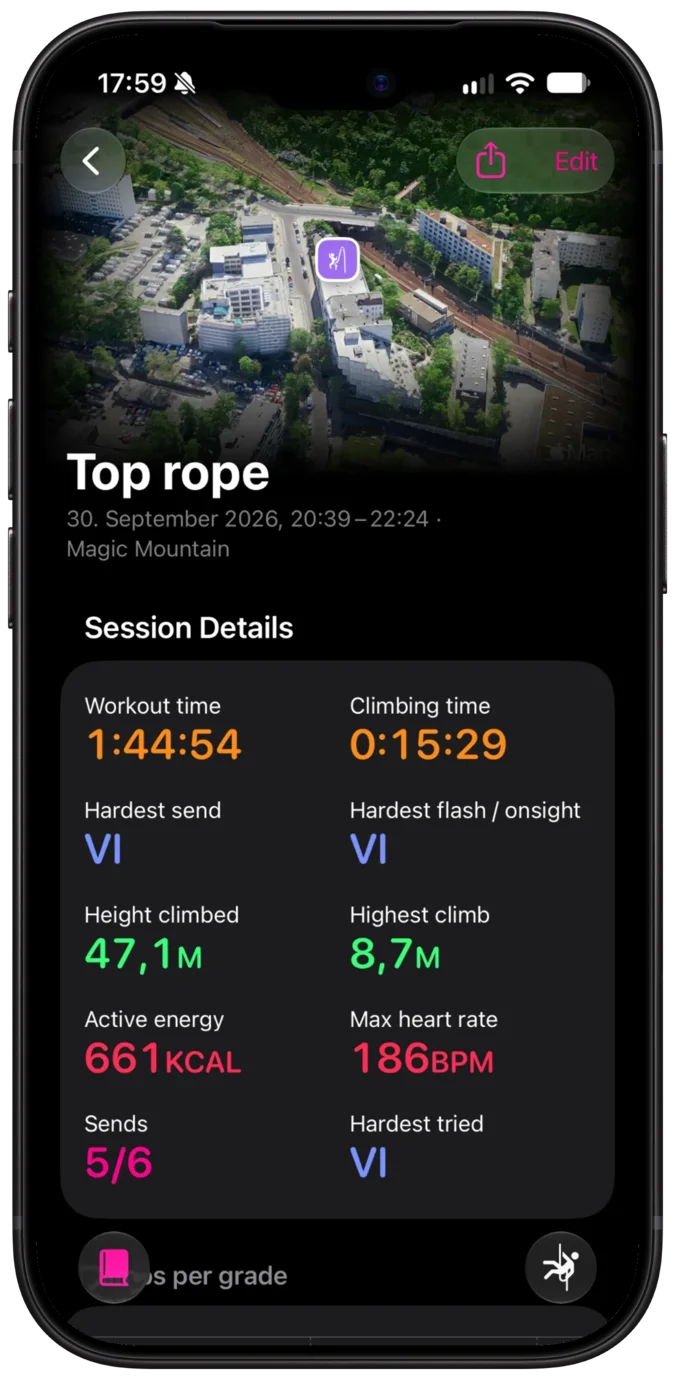
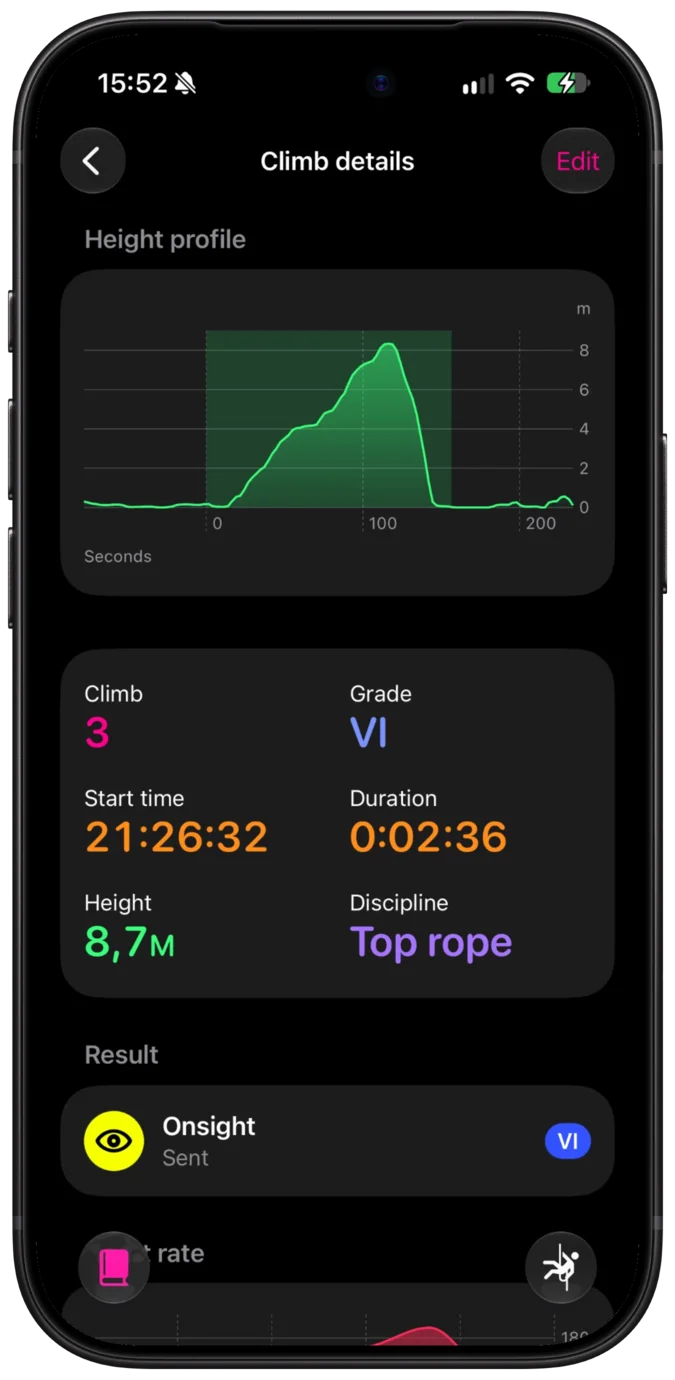
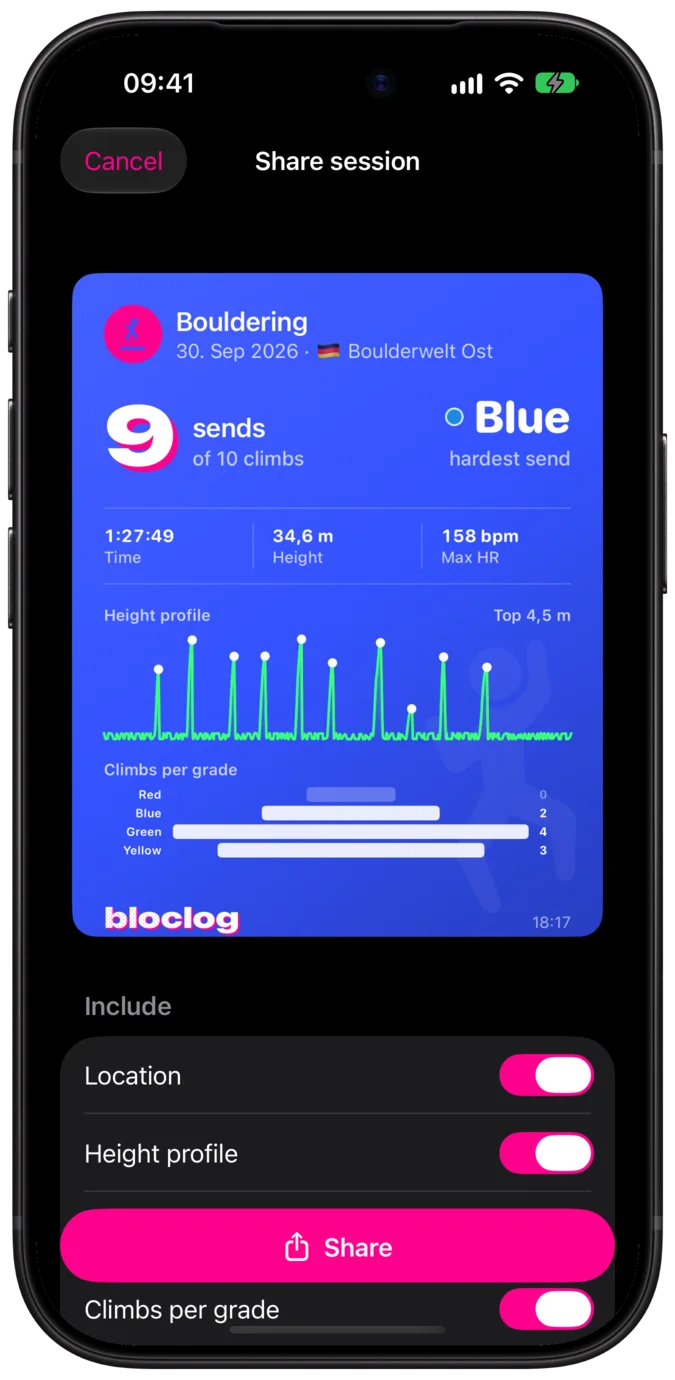
See every climb with its grade and result, plus heart rate and a height profile with each climb marked.
-
Understand your progress
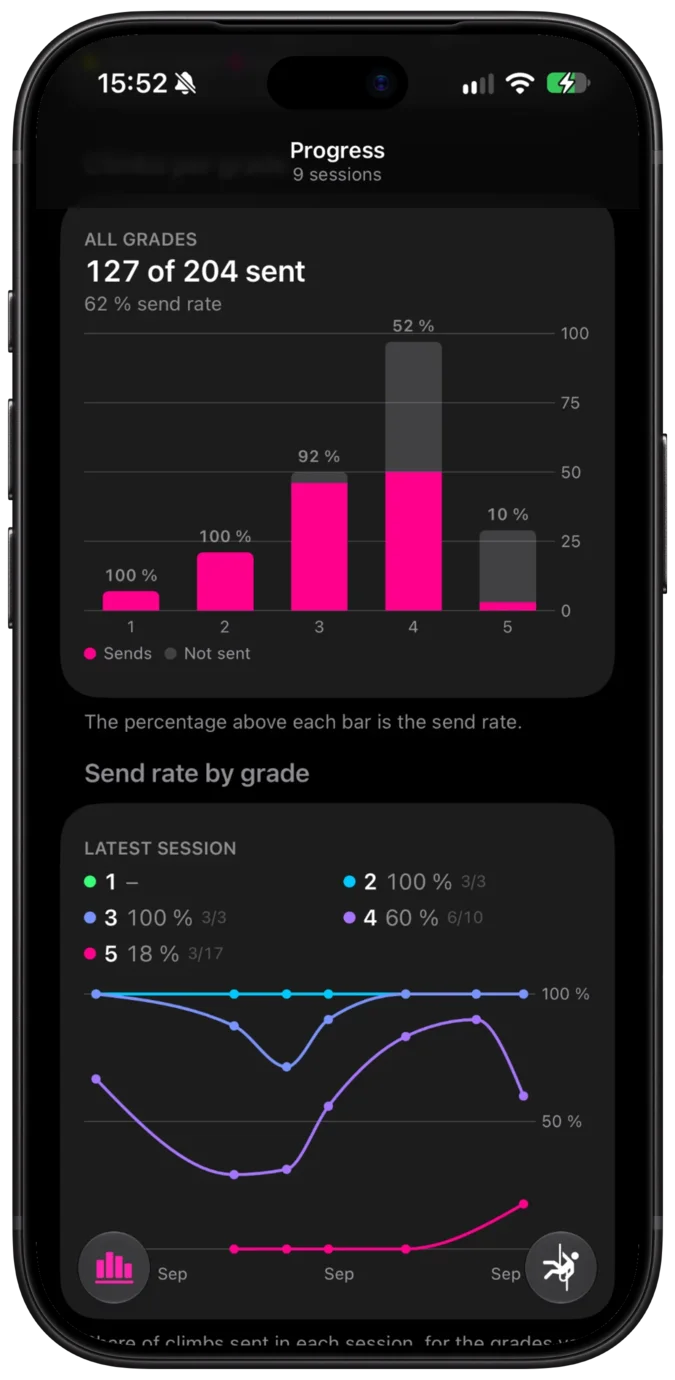
Across sessions, see your send rate per grade and how it changes, so you know when to move up a grade.
Screenshots
On Apple Watch
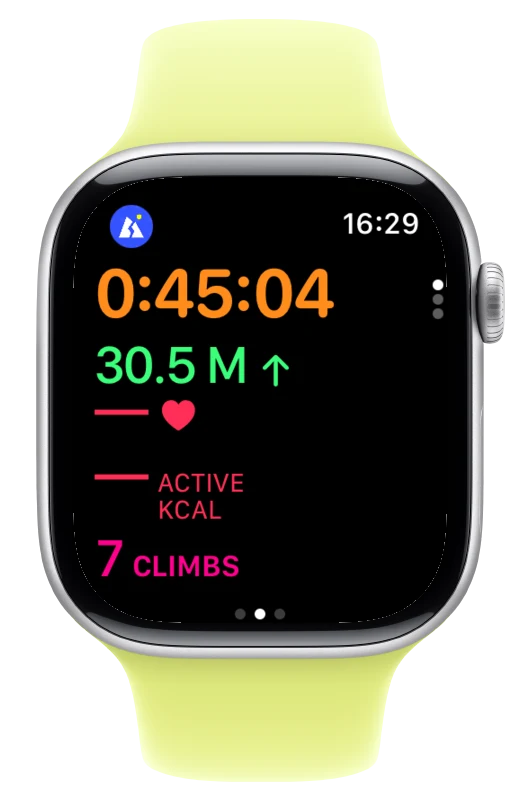
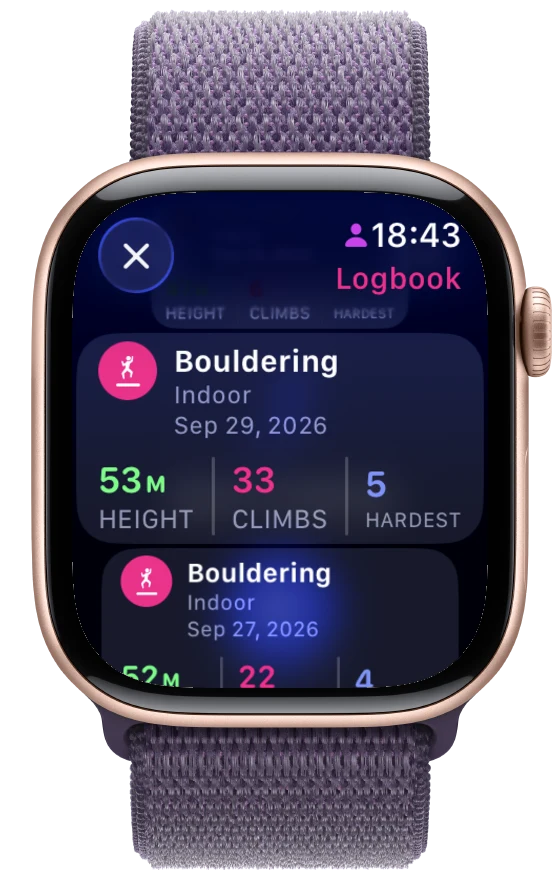
During a session the Watch shows time, height climbed, heart rate and the number of climbs. Log a climb by tapping its grade; the iPhone can stay in your bag.
The barometer measures how high each climb goes, and the motion sensors suggest when a climb starts and ends. You can later edit this in the app.
Privacy
There is no Bloclog account and no Bloclog server. We don't want your data, and we don't have access to your data.
No account
Install and start a session. There is nothing to sign up for.
No analytics or ads
The app contains no tracking, advertising or crash-reporting SDKs.
Where your logbook is stored
On your iPhone, iPad and Apple Watch. If you turn on iCloud sync or backup, also in your private iCloud. Workouts saved to Apple Health are kept by Health.
Export
Export your logbook as JSON or CSV at any time.
Questions
Do I need an Apple Watch?
No. You can record on iPhone, on Apple Watch, or both.
Can I record on iPad?
No. iPad shows your logbook; record sessions on iPhone or Apple Watch.
How do I move my logbook to a new phone?
Turn on iCloud sync, or export your logbook in Settings → Export & import and import the file on the new phone.
Can I import sessions from another climbing app?
From supported apps, yes. In Settings → Export & import, choose the exported session files and check the grade mapping before importing.
Does deleting a session remove its Apple Health workout?
No. Workouts already saved to Health stay there until you delete them in the Health app.